
Table of Contents
- Why Choose the USB Charging Antitheft Laptop Backpack?
- Key Features
- Convenient USB Charging
- Smart Storage & Organization
- Laptop & Work Essentials
- USB Charging Laptop Backpack for Students
- USB Charging Laptop Backpack for Professionals
- Travel & Daily Commuting
- Comfortable Carrying
- Available Colour Options
- Who Should Buy This Backpack?
- How to Choose Your Laptop Backpack
- Why Shop at Luggage Ranch?
- Frequently Asked Questions
- Final Buying Recommendation
Why Choose the USB Charging Antitheft Laptop Backpack?
Technology has changed the way we work, study and travel.
Today, carrying a laptop, smartphone, charger, power bank, notebooks and other accessories is part of everyday life.
The USB Charging antitheft Laptop Backpack is designed to make that daily routine more convenient.
Instead of carrying your technology in separate bags, this backpack gives you a practical way to organize your essential items in one place.
Its modern shape gives it a professional appearance, while the USB charging interface adds a useful technology-focused feature.
Whether you’re heading to class, the office, a meeting or travelling across town, this backpack is built around the needs of modern users.
Key Features of the USB Charging Laptop Backpack
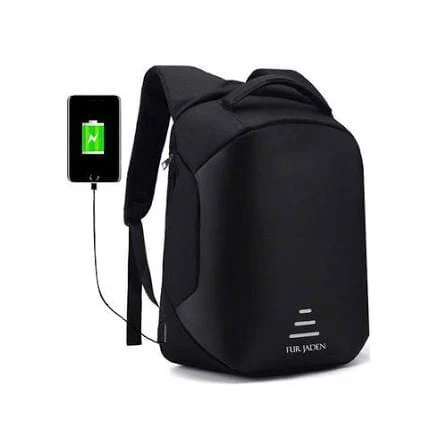
🔌 USB Charging Port
The standout feature is the integrated USB charging connection.
The design allows a compatible power bank to be kept inside the backpack while providing an external connection for convenient device charging.
Important: The backpack itself does not generate electricity and a power bank is required.
Similar laptop backpack designs from established manufacturers also use internal cable pass-through systems with external USB ports for convenient charging. �
HP
💻 Laptop-Friendly Design
The structured backpack format is designed around carrying modern technology and everyday essentials.
It can be suitable for carrying items such as:
- Laptop
- Tablet
- Charger
- Power bank
- Smartphone
- Notebooks
- Books
- Documents
- Stationery
- Personal accessories
Always check your laptop’s physical measurements against the actual laptop compartment before ordering, since the images alone do not establish a specific laptop-size compatibility.
🎒 Multiple Storage Compartments
Organization is one of the biggest advantages of a properly designed laptop backpack.
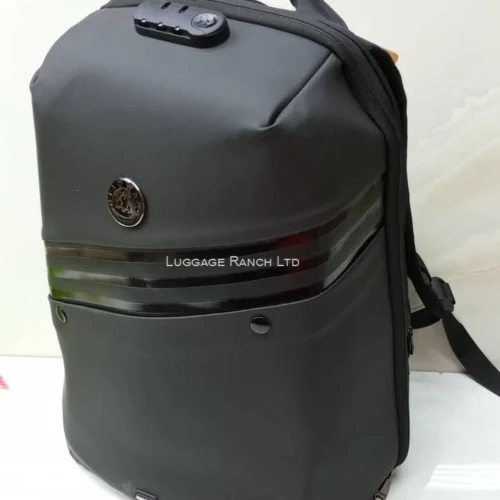
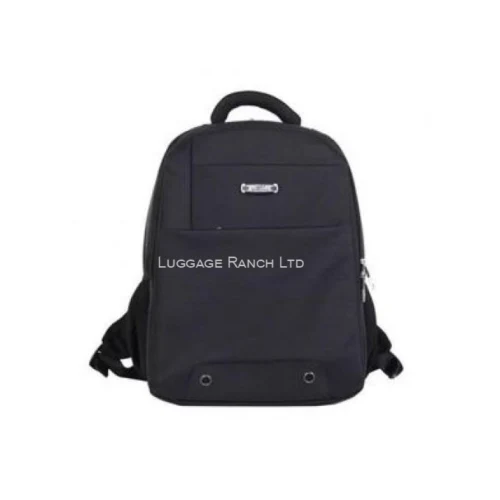
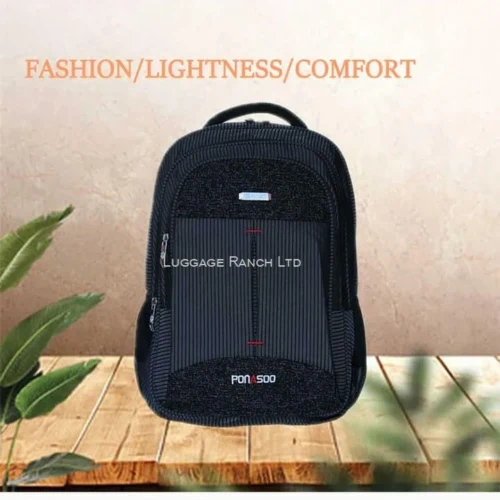
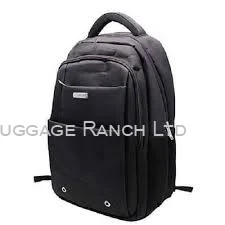
The supplied images show a multi-compartment design that gives you different areas for separating your belongings.
This makes it easier to keep frequently used accessories accessible while keeping larger items organized.
You can use the different sections for your laptop, notebooks, chargers, documents and personal accessories.
USB Charging antitheft Laptop Backpack for Work
A professional backpack should combine functionality with a smart appearance.
The USB Charging antitheft Laptop Backpack delivers a clean, modern look that works well with everyday office wear.
Take it to:
- The office
- Business meetings
- Coworking spaces
- Training sessions
- Client appointments
- Business trips
- Daily commuting
The USB charging connection is particularly useful for professionals who depend on their smartphone throughout the day.
With a compatible power bank inside the bag, you can conveniently connect your device without having to carry the power bank separately in your hand.
USB Charging Antitheft Laptop Backpack for Students
Students increasingly rely on technology for learning.
A typical school or university day can involve a laptop or tablet, books, notebooks, chargers, stationery and personal belongings.
The USB Charging antitheft Laptop Backpack provides a practical way to bring these essentials together.
It is suitable for:
University students • College students • Campus learners • Training students • Digital learners
The sleek design also makes it suitable for students who want something more modern than a traditional school backpack.
USB Charging Laptop Backpack for Travel
Travelling with electronics can quickly become inconvenient when everything is packed separately.
A dedicated laptop backpack gives you a convenient personal carry option for your technology and everyday essentials.
The USB Charging antitheft Laptop Backpack can complement your main luggage when travelling.
For example, use the backpack for your laptop, charger, documents and personal electronics while your suitcase carries clothing and larger items.
Luggage Ranch also offers dedicated suitcase options for customers who need additional travel capacity. �
Luggage Ranch
Shop Luggage & Travel Bags at Luggage Ranch�
Convenient USB Charging on the Move
One of the most attractive features of this backpack is its charging connectivity.
Imagine you’re commuting and your smartphone battery is getting low.
Rather than taking your power bank out of your backpack, you can connect the phone to the external USB interface while the power bank remains inside.
It is a simple feature, but it can make a busy day considerably more convenient.
How it works
Step 1: Place your compatible power bank inside the backpack.
Step 2: Connect the power bank to the backpack’s internal USB cable.
Step 3: Connect your smartphone or compatible device to the external USB port.
Step 4: Carry and charge conveniently while on the move.
Note: Actual charging performance depends on the power bank, cable and device being used.
Smart Storage for Your Everyday Essentials
A good backpack isn’t only about appearance.
It should help you organize your belongings.
The USB Charging Antitheft Laptop Backpack provides a structured design suitable for separating different categories of items.
Laptop / Tablet
Keep your main device in the appropriate internal section.
Chargers & Power Banks
Keep charging accessories together so they are easy to locate.
Books & Documents
Use the larger sections for notebooks, papers and other study or work materials.
Small Accessories
Smaller pockets can help organize items such as cables, stationery and personal accessories.
The result is a cleaner, more organized everyday carry.
Comfortable Carrying for Daily Use
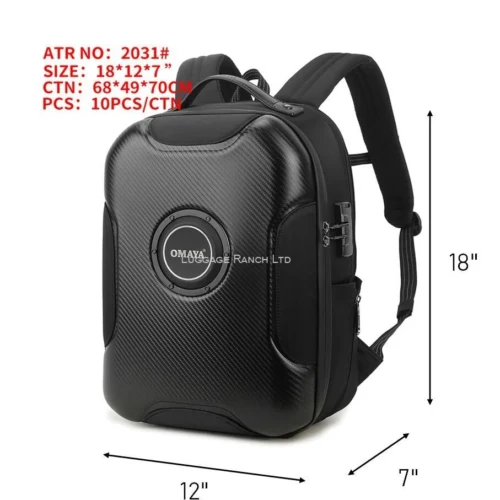
The supplied product images show padded-style shoulder straps and a structured backpack design.
Properly adjusting the shoulder straps is important for comfortable carrying.
Avoid overloading the backpack.
For best everyday use, distribute heavier items as close to your back as practical and keep smaller accessories organized in separate compartments.
Professional laptop backpacks commonly combine dedicated storage areas, structured construction and padded carrying features to improve everyday usability. �
HP
Available Colour Options
The supplied images show this backpack in several colour combinations, including:
- Black
- Grey & Black
- Blue & Black
- Red/Burgundy & Black
This gives customers the flexibility to select a colour that matches their personal style.
Classic Black
Perfect for professionals, students and customers who prefer a versatile everyday colour.
Grey & Black
A modern combination with a contemporary appearance.
Blue & Black
A stylish option for students and younger professionals.
Burgundy & Black
A more distinctive choice for customers who want something different.
Colour availability may depend on current stock.
Who Should Buy This USB Charging Antitheft Laptop Backpack?
Students
A practical option for carrying laptops, books, notebooks and charging accessories.
University & College Students
Ideal for campus life, study sessions and everyday commuting.
Professionals
A smart choice for office workers who regularly carry technology.
Entrepreneurs
Useful for moving between meetings, work locations and business appointments.
Commuters
The USB charging feature is especially convenient for people who spend considerable time travelling.
Travellers
A useful personal backpack for keeping electronics and daily essentials accessible during trips.
Resellers
The combination of a modern appearance and USB charging functionality creates a strong selling point for customers looking for technology-friendly backpacks.
How to Choose the Right Laptop Backpack
Before buying a laptop backpack, consider these factors.
1. Check Laptop Dimensions
Do not rely solely on screen size.
Measure your laptop physically and compare it with the actual laptop compartment.
2. Consider Storage Requirements
Think about everything you carry on a normal day.
If you carry books, documents, electronics and accessories, choose a backpack with adequate organization.
3. Look for Useful Features
Features such as USB charging connectivity can provide additional convenience for technology users.
4. Consider Your Lifestyle
Choose a backpack based on whether you primarily need it for school, work, travel or commuting.
5. Choose a Style You’ll Actually Use
A versatile black backpack can work across multiple environments, while colour options allow you to express your personal style.

Reviews
There are no reviews yet.